Product
An AI-assisted landing page builder that turns a few choices about a campaign into an editable first draft. Users can refine the page and publish it from the same workspace.
Delivery
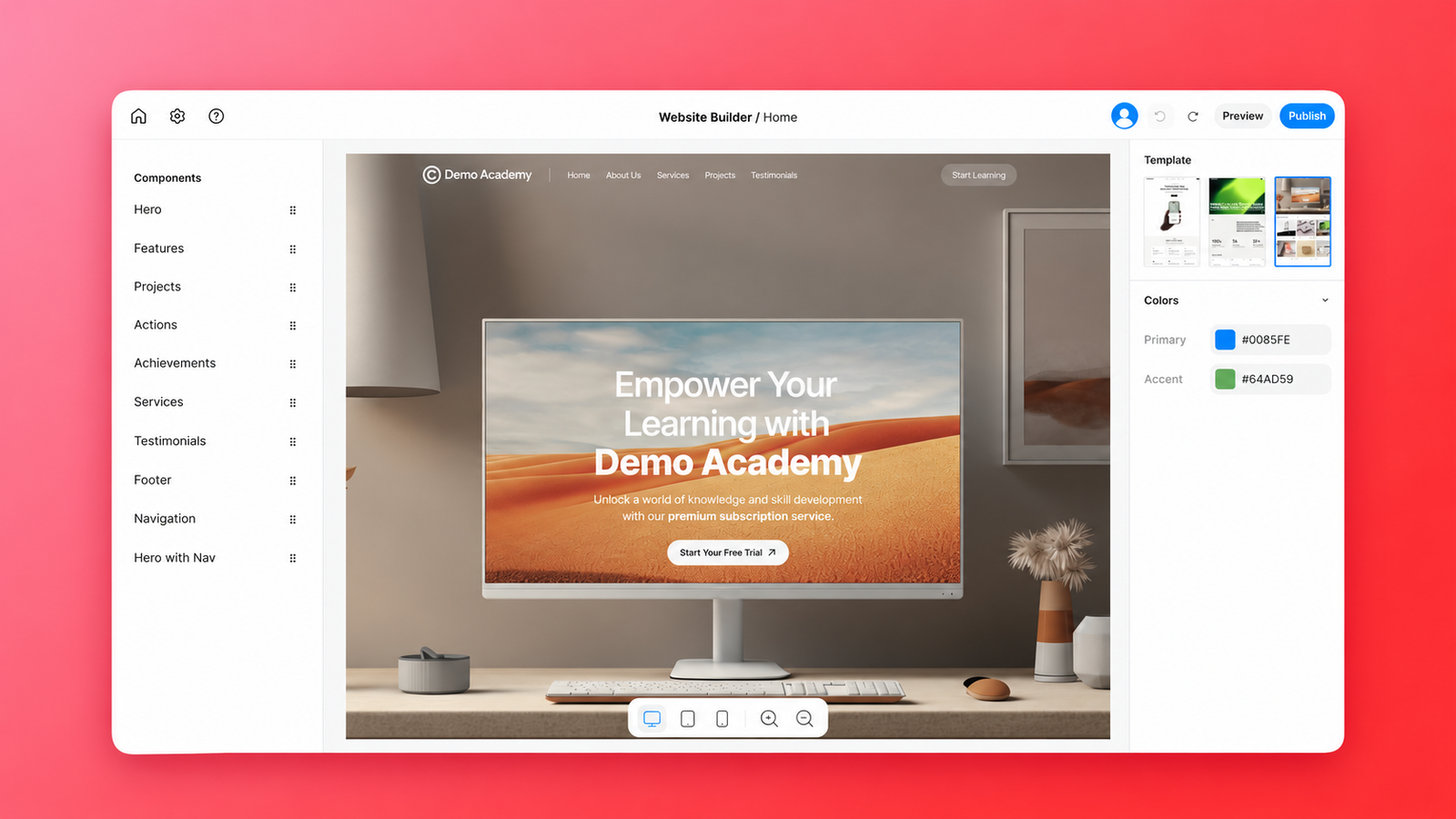
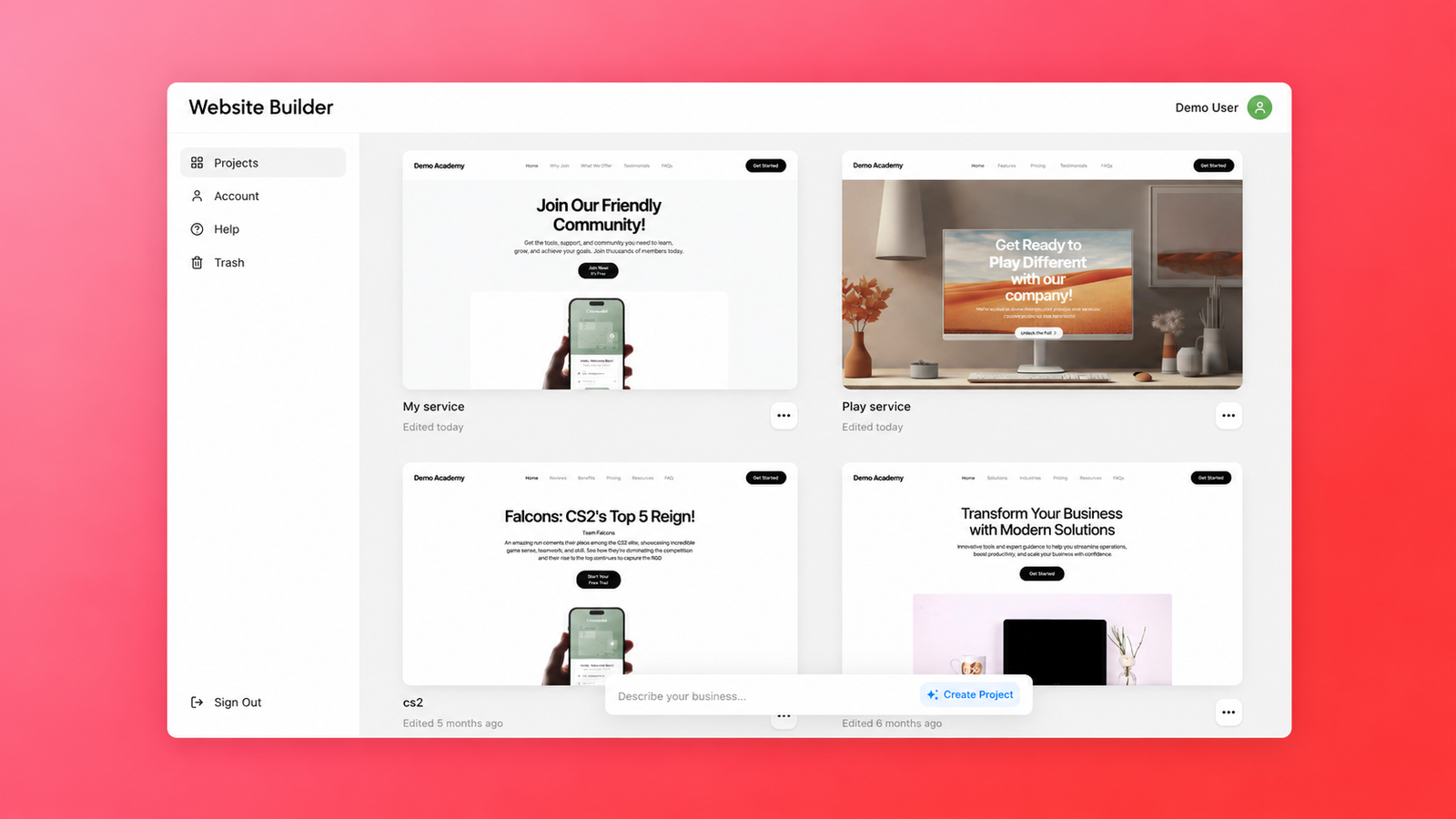
A full SaaS platform with a project dashboard, AI-assisted page setup, a visual editor, draft previews, and publishing to a subdomain or custom domain. Project settings also cover the favicon and Google Analytics.
Devstark role
We handled full-stack development, connecting AI generation, template-based editing, and domain publishing. We also built the project and page model that lets users keep editing after launch while visitors continue to see the last published version.
The context
Launching a landing page can involve coordinating copywriting, design, development, and domain setup. A visual builder helps with assembly, but a blank canvas still leaves users to decide what to say, which sections to include, and how to put them together.
We built a platform that starts with the business goal of the page. Users choose the type of landing page, a template, and a brand voice. The system uses those choices to prepare a first version that users can refine and publish. Bringing those steps into one product reduces the handoffs needed to get a marketing page live.
How we built it
Collecting just enough information to get started
Challenge:
The setup had to give the builder enough context for a useful first draft without asking users to write a full creative brief.
Our approach:
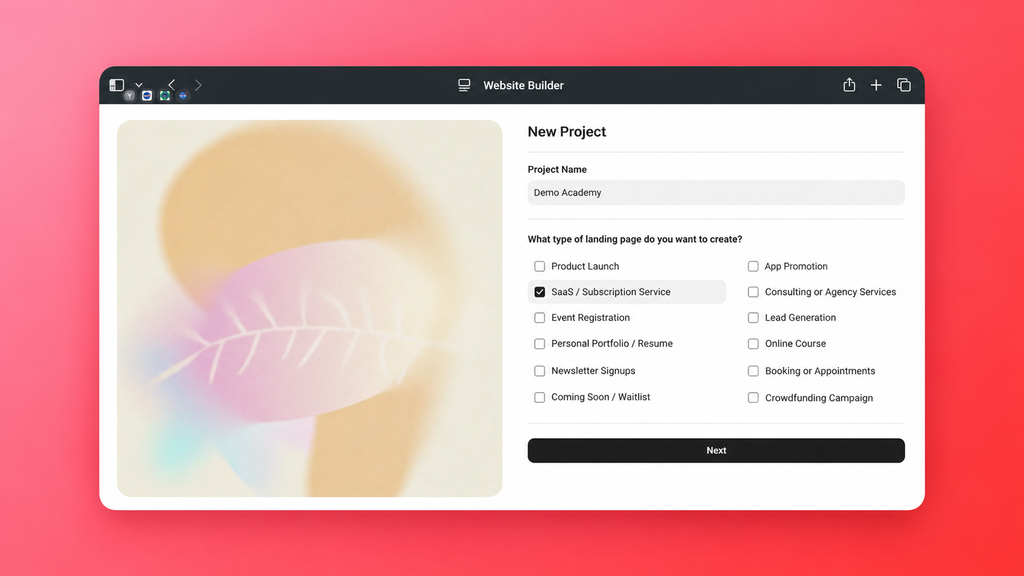
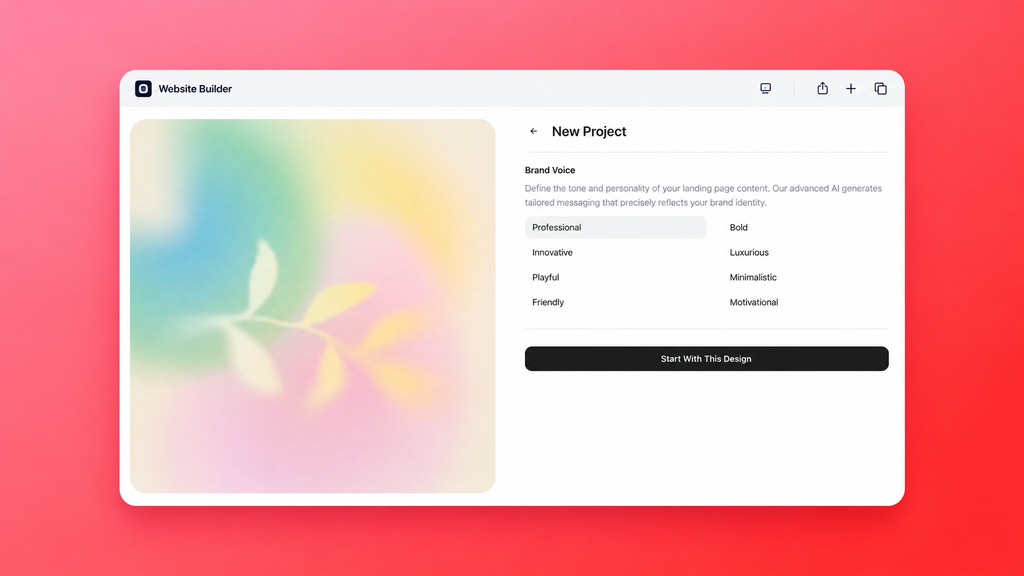
From the dashboard, users name their project and choose a landing page type, a template, and a brand voice. The builder saves those choices with the project and uses them as inputs for the first page.
Keeping generated content editable
Challenge:
Generated copy had to fit the selected template so users could revise it directly in the editor.
Our approach:
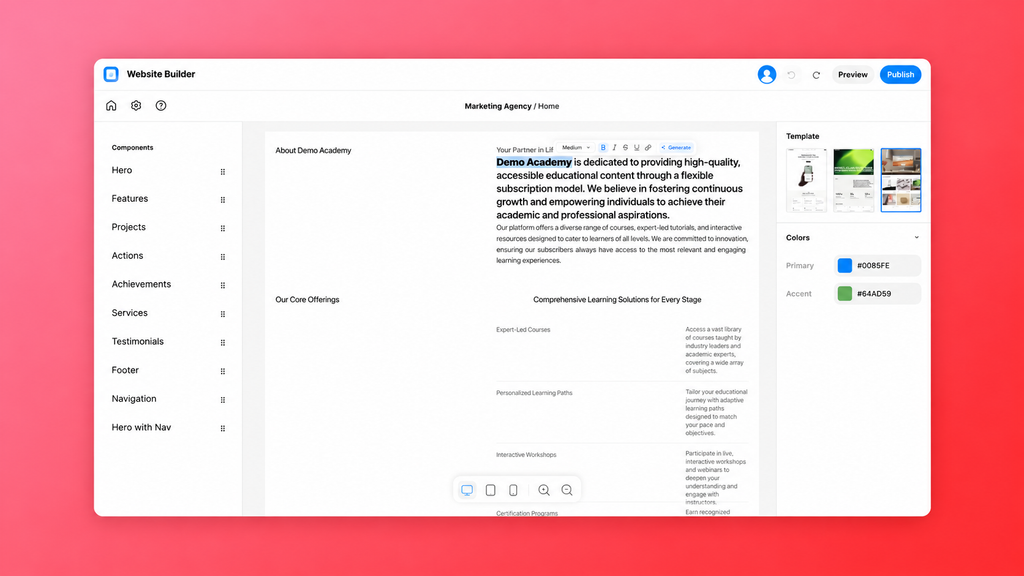
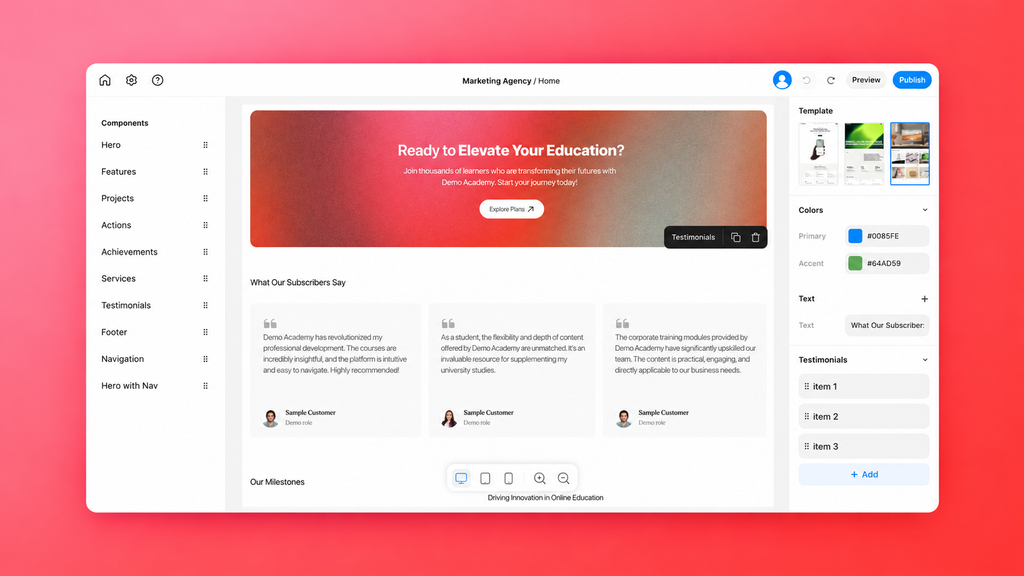
Each project type has a defined set of blocks. The AI generates content within that structure, and the visual editor uses those same blocks. Users can change copy, colors, and layout directly on the page before publishing.
Protecting the live site during edits
Challenge:
Teams needed to update a published page without exposing unfinished changes to visitors.
Our approach:
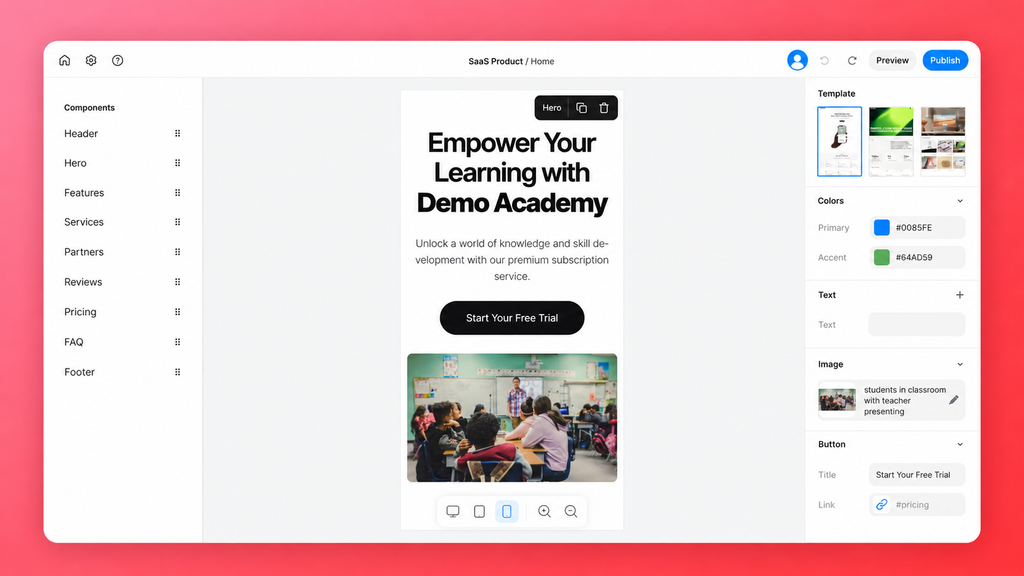
We gave each page a working version and a published version, stored separately as content and publicContent. Preview shows the working version, while the public site serves the last published version. Publishing is the step that releases changes. Teams can save, review, and refine their work while the live page stays available.

Making publishing part of the product
Challenge:
The platform needed to support the practical steps of launching a marketing site, including making it available at the address visitors use.
Our approach:
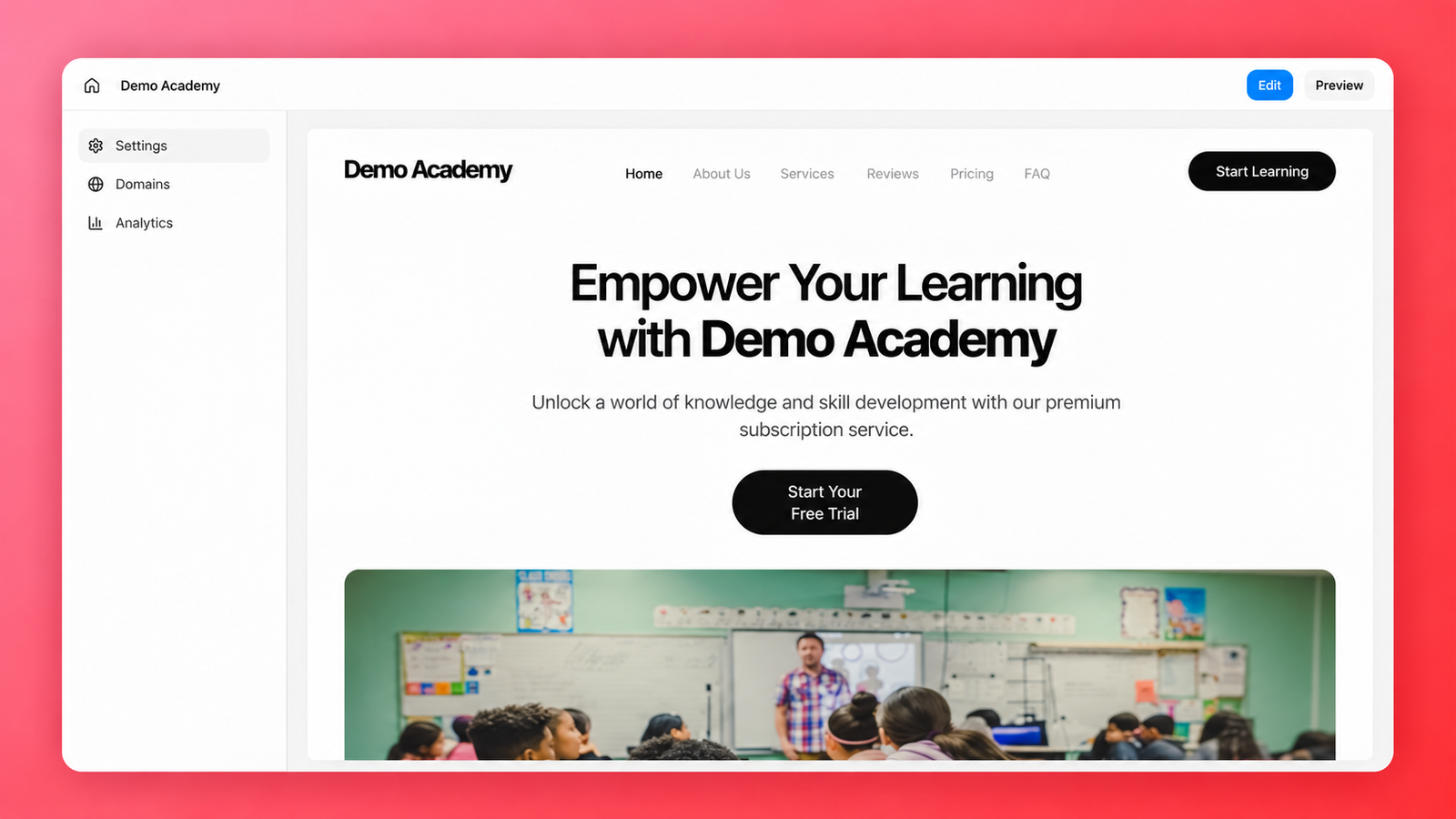
We built public routes that resolve each site by its hostname, whether it uses a subdomain or a custom domain. The project settings bring together domain configuration, publishing controls, the favicon, and Google Analytics. Users can take a page from the editor to a public address and manage its launch settings in the same project.
What we delivered
We delivered a SaaS platform that connects the work of launching a marketing page, from defining its purpose and preparing content to refining the design and publishing it. Users get a first draft they can work with, a visual editor for shaping it, and control over when changes go live.
The architecture gives the product team clear places to extend the platform. The frontend handles the dashboard, editor, preview, and public rendering. The backend manages access, projects, pages, media, content generation, and the public endpoints used to serve sites by domain. The shared project model keeps those capabilities connected as new templates and workflows are added.
Technologies and their roles
Next.js for the authentication screens, dashboard, builder, previews, and public rendering.
Payload CMS and PostgreSQL for the project and page model, access control, media, and backend content workflows.
Puck for the visual page editor.
Vercel AI SDK for AI-assisted page setup and individual text generation tasks.
Tailwind CSS and Radix UI for styling and interface components.



















.svg)