Product
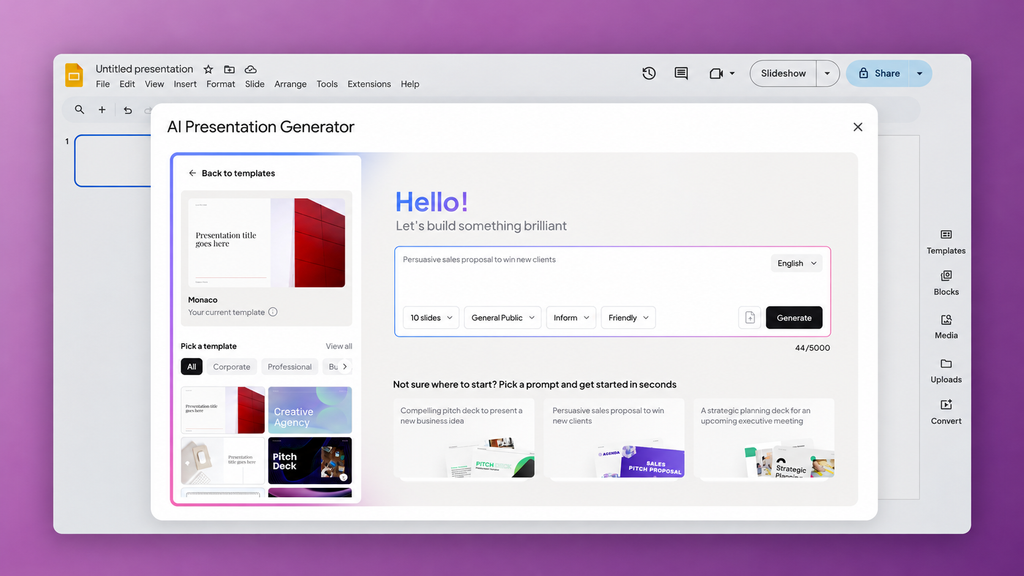
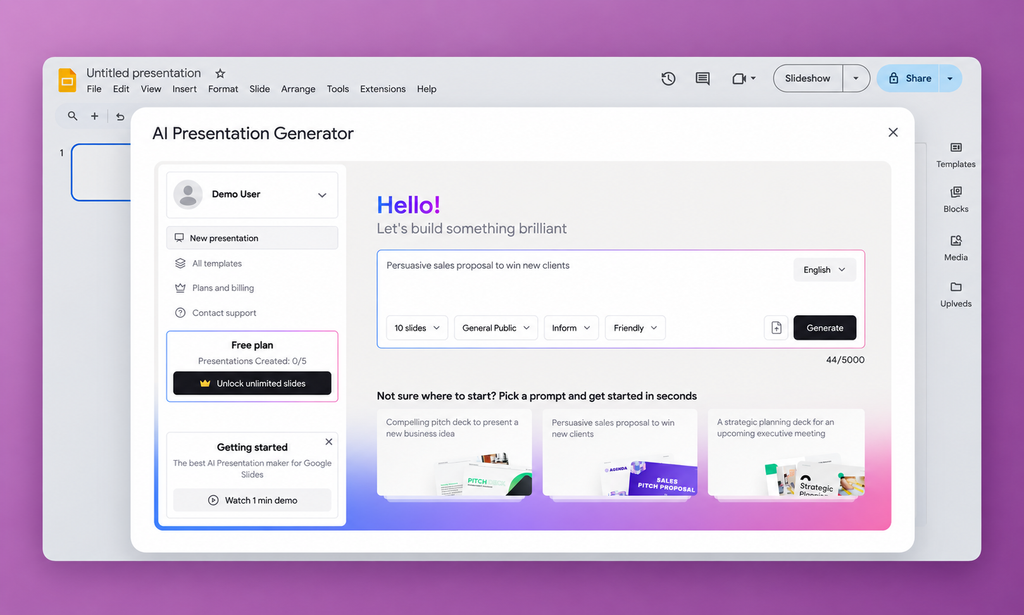
An AI-powered presentation builder inside Google Slides that turns ideas, notes, or documents into editable decks. The tool also gives an option to refine the AI-generated outline before applying a template.
Delivery
A Google Slides add-on with AI outline generation, a content editor, template selection, and deck assembly. The platform also includes a web account area for plans and billing, plus an admin panel for managing users and roles and reviewing template usage.
Devstark’s role
We led full-stack product development, designing the workflow from outline to finished deck and building the Google Slides integration, AI processing, subscription logic, and admin tools.
The context
The tool tackles the hardest part of starting a presentation: turning a rough idea, scattered notes, or a source document into a clear story. It is designed for managers, founders, analysts, educators, and other professionals who need to prepare business, training, or internal presentations quickly. They can start from a draft they can shape and take responsibility for, then turn it into a deck they can continue editing in Google Slides.
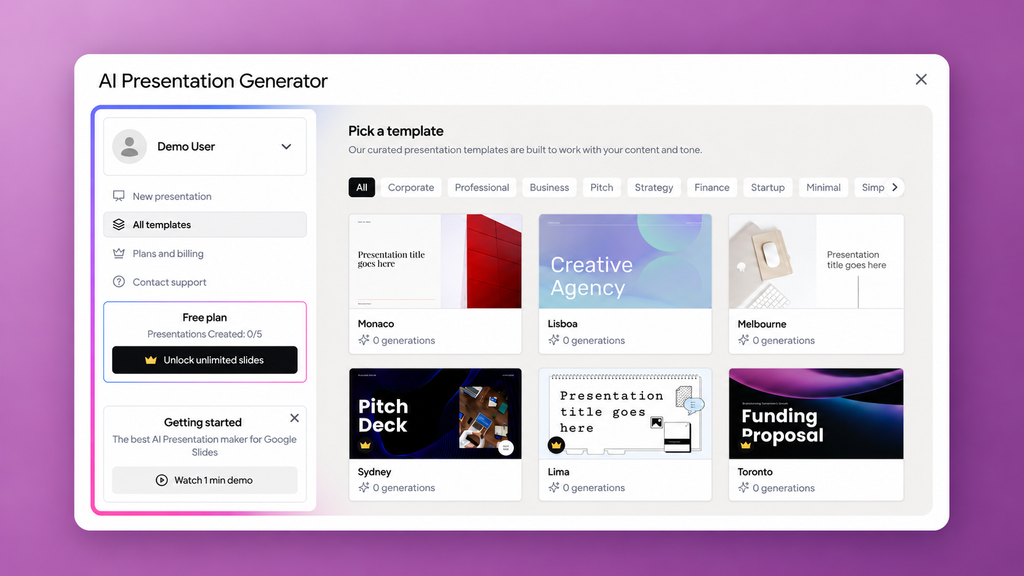
The product connects outline generation, content editing, template selection, and slide assembly in one workflow. A web account area supports sign-in, subscriptions, and billing, while the Google Slides add-on is where users do the presentation work.
The solution development
Giving users control over the AI draft
Challenge:
Creating a presentation rarely takes one pass. Users may need to adjust the tone, reorder slides, remove material, or change the emphasis before they can use the result. The product needed to make those decisions easy after generation.
Our approach:
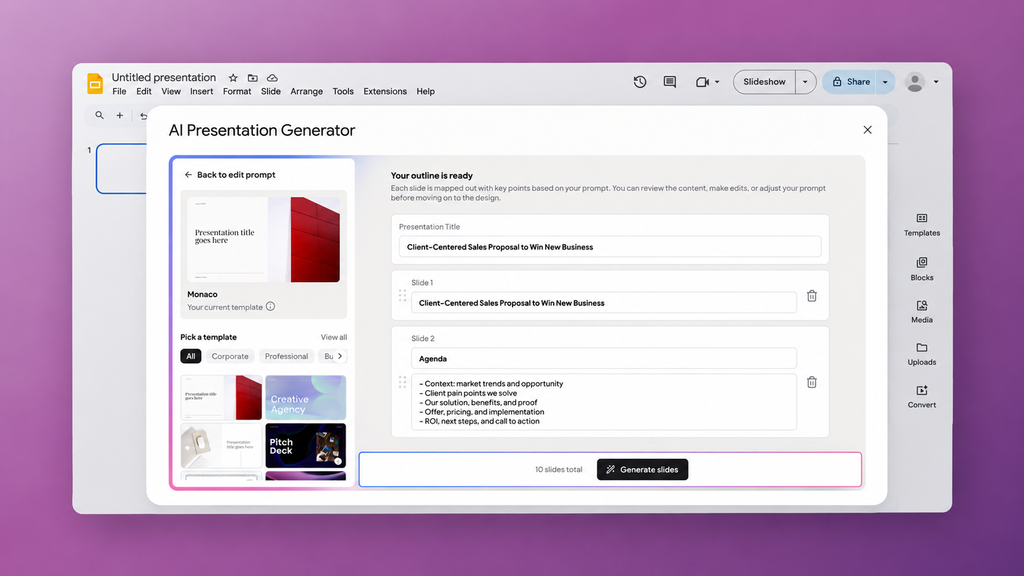
We split the process into stages. Users enter a topic or upload source material, and the system generates an initial slide outline. A dedicated editor lets them change slide titles, wording, order, and content blocks. Once the story is ready, they choose a template, and the system assembles the presentation in Google Slides.
Putting the content first gives users a chance to review and correct the AI draft before it becomes a deck. It also helps them choose a template that fits the material they actually want to present. The staged workflow makes generation easier to follow and gives users a clear point to intervene before the final assembly.
Delivering the presentation where users already work
Challenge:
The product had to carry users from their initial idea to a presentation they could immediately edit, share, or use. Every extra step between generation and Google Slides would add friction to a workflow the product was designed to simplify.
Our approach:
We built the product as a monorepo with separate applications for the public website and account area, the Google Slides add-on, the backend, and the admin panel. The account area handles plans and billing, the add-on is where users create presentations, and the admin panel supports internal operations. Giving each interface a clear purpose keeps it focused on the people who use it and makes each part easier to develop.
The interfaces guide users through the workflow and show progress and plan limits. A shared backend manages presentation state, data storage, authorization, subscriptions, and external integrations, so the same rules apply across entry points. A dedicated application layer orchestrates calls to OpenAI, making outline generation a controlled step in the presentation workflow.
Balancing free access and paid value
Challenge:
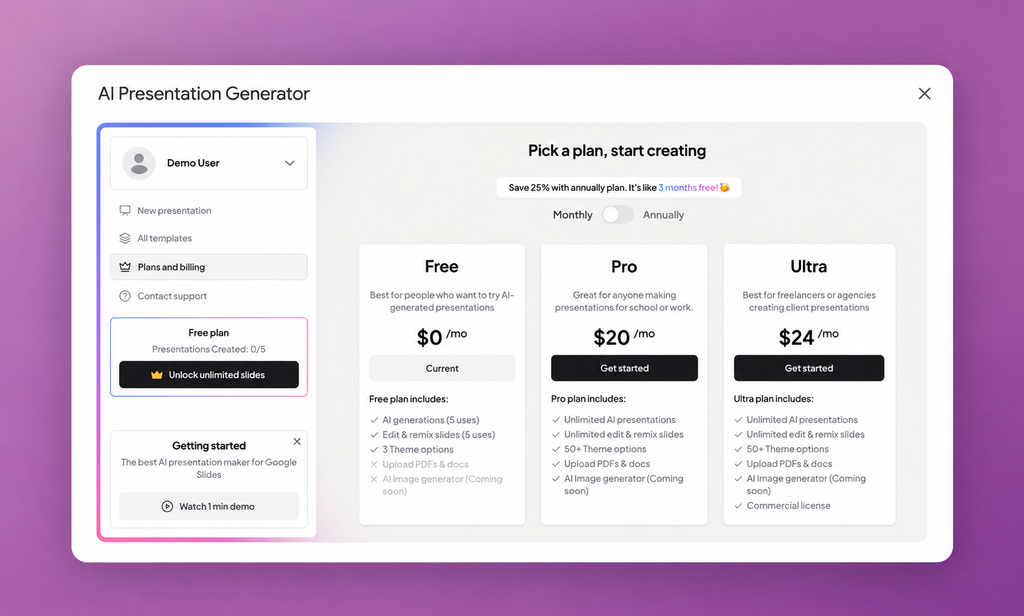
Users needed enough free access to understand the product’s value. The business also needed a paid plan with clear reasons to upgrade.
Our approach:
We built plan rules into the workflow. The backend enforces limits on the number of presentations and on editing, and controls access to premium templates and paid features. The interface shows what the free plan includes and what a subscription unlocks when users encounter a limit or select a premium option. Users can see their current plan and manage billing in the web account area.
This lets users experience the product before making a purchase decision. The upgrade offer appears in the context of a task they already understand, such as choosing a premium template or creating another presentation.
What we delivered
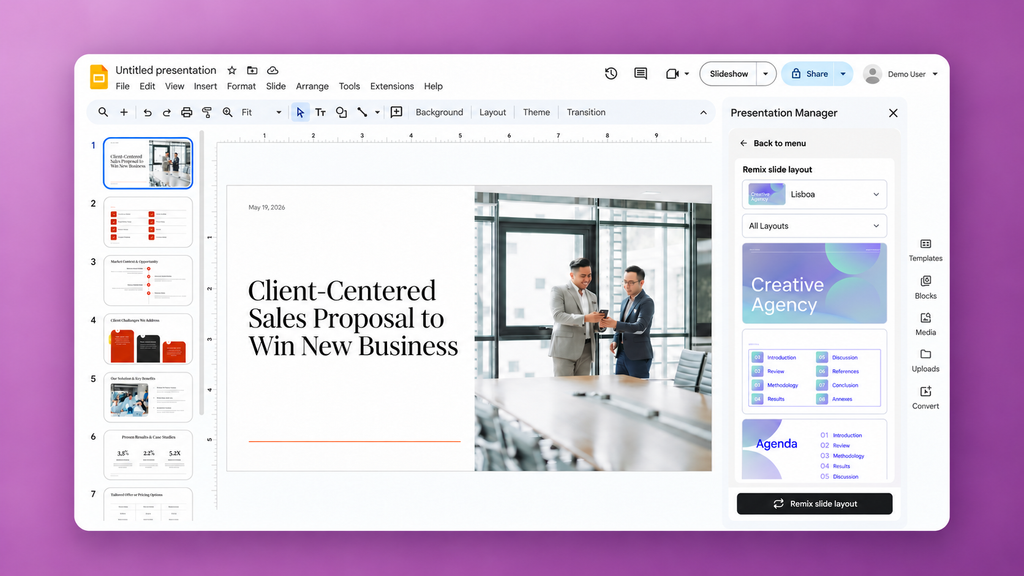
We delivered an AI presentation product that takes users from an idea or document to an editable Google Slides deck. Users can shape the content before applying a design, then keep working in the presentation tool they already use.
The product also includes the tools needed to operate a subscription service. Users can manage their plans and billing, and the internal team can manage users and roles and review template usage. The backend tracks each presentation through drafting, editing, template selection, and assembly, applying the relevant access and plan rules along the way.
Technologies and their roles
Next.js and React for the web interfaces, including account management, the Slides add-on, and internal administration.
Node.js and Hono for backend services and business rules.
Vercel AI SDK and OpenAI API for AI processing within the outline generation workflow.
Stripe for subscription payments and billing.
MongoDB for application data.
Google Slides API and Google OAuth 2.0 for presentation assembly and Google authorization.























.svg)